The Perth Parent's Guide to Managing Your Family's Dental Records Online
Local Health Care
Editorial
The Perth Parent's Guide to Managing Your Family's Dental Records Online
Picture this: you've finally booked the kids in with a new dentist closer to home. You walk in for the first appointment, the receptionist asks if you can send through their previous x-rays and treatment history, and you realise you have absolutely no idea where any of it is. The old clinic might still have it. Or might not. You'll need to ring them on Monday. Maybe pay a fee for a copy. Definitely fill in a form. The new dentist starts from scratch with new x-rays, a new exam, and new everything.
If any version of that scenario sounds familiar, this article is for you.
Dental records are some of the most overlooked health documents a family owns. They're not glamorous, they don't usually feel urgent, and most people don't think about them until the moment they're suddenly needed. This guide walks Perth parents through how to move every dental record, yours, your partner's, and your kids', into one secure digital vault, and why doing it now will save you a small fortune in the next five years.
Why dental records get lost more often than any other health record
Dental records have a specific problem: they're spread across multiple clinics, often over many years, and they don't usually live anywhere central. Unlike a hospital admission (which leaves a clear paper trail) or a GP visit (which is logged in your My Health Record), dental records typically sit on the practice management software of whichever clinic you happened to visit.
That means the average Perth family is unknowingly juggling:
Old x-rays from a dentist they saw three suburbs ago
Treatment plans that were quoted but never finalised
CDBS history for the kids, including how much of the $1,132 cap is left
Receipts for major work like crowns, root canals, or orthodontics (which you may need for tax or insurance claims years later)
Specialist letters from oral surgeons, periodontists, or orthodontists
Mouthguard impressions and ortho records
Health fund claim history for extras cover
Pre-treatment photos and consent forms
None of it usually gets handed to you in a folder when you walk out. And the moment you switch dentists or move suburbs, recovering it becomes a small bureaucratic nightmare.
What digital dental records actually solve
A good digital health record system isn't just a folder on the cloud. It's a structured way to store, organise, and retrieve dental documents the moment you need them, from any device, anywhere.
One account, every family member
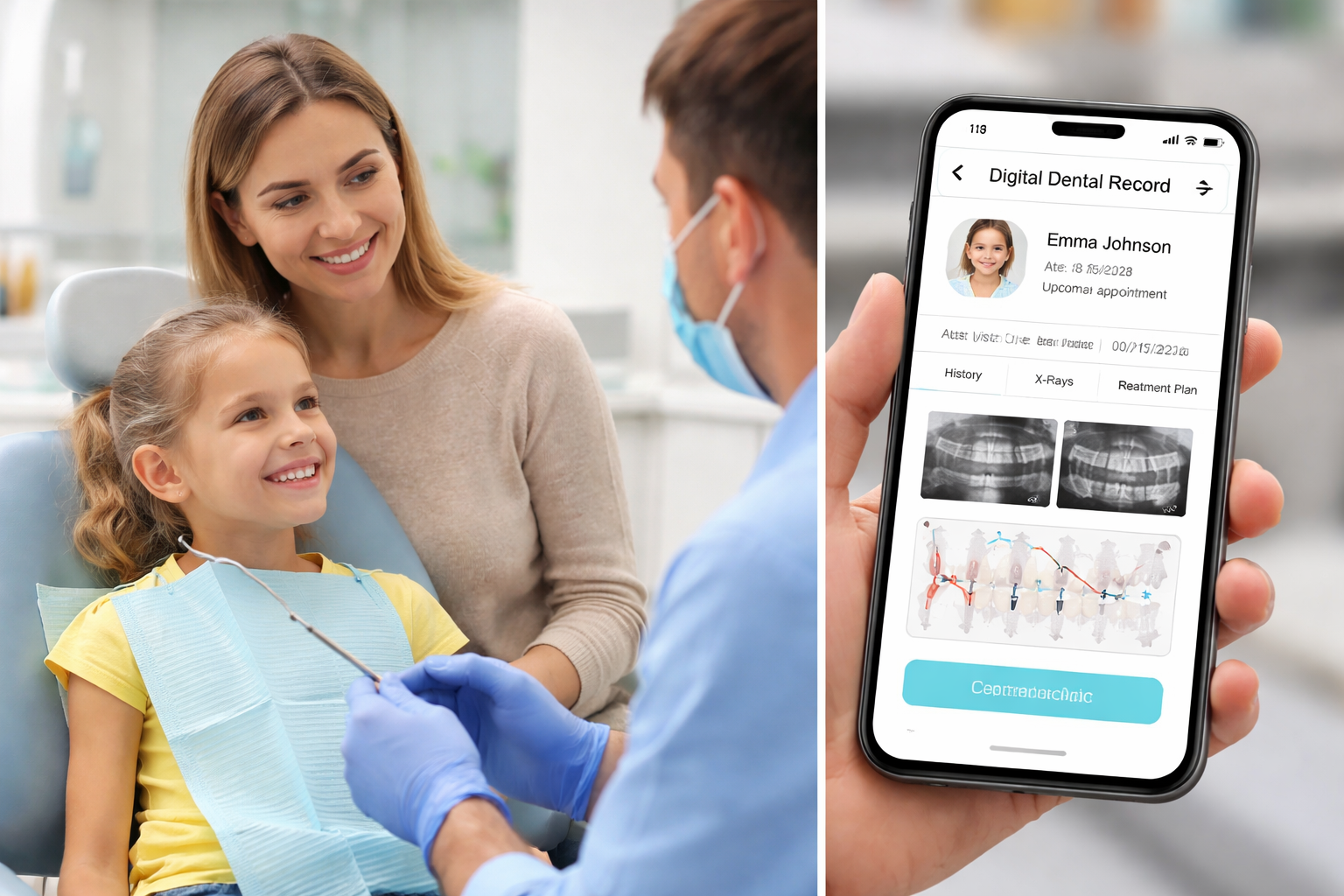
You shouldn't have to log in and out of separate accounts to manage your kids' dental records. Family profiles let you switch between household members in a tap, with each person's records, treatment plans, and appointments cleanly separated.
Documents categorised by type
X-rays go in one place. Treatment plans in another. CDBS history in another. When the new dentist asks for previous bitewings, you don't scroll through 200 random PDFs. You tap "Imaging" and it's the first thing you see.
Documents shared directly by your dental clinic
The best part: when your dentist takes new x-rays, finalises a treatment plan, or sends through a quote for a crown, those documents land directly in your account. No more "I'll email it to you later" that turns into nothing. No printing. No scanning. No flash drives at the front desk.
Secure sharing when you actually need to
Need to send your child's records to a new dentist or orthodontist? You can grant temporary, secure access to specific documents and revoke it the moment it's no longer needed.
Treatment plan tracking
Every active treatment plan in one list, with quoted prices, item codes, expected health fund cover, and the gap. No more rummaging through emails trying to remember what the dentist quoted you in March.
The five dental documents every Perth family should digitise first
If you're starting from scratch, don't try to upload everything in one weekend. Start with these five. They're the ones you're most likely to need at short notice.
The most recent set of x-rays for each family member. Bitewings are usually taken every 12-24 months and a new dentist will charge you for fresh ones if you can't supply the old ones.
Active treatment plans. Anything that's been quoted but not yet completed, including crowns, fillings, root canals, ortho work, and hygienist programs.
CDBS history for each eligible child. A printout from the clinic showing how much of the $1,132 cap has been used in the current two-year period.
Health fund and Medicare cards. Snap a clear photo of the front of each, store it in the digital vault, and you'll never have to dig out a wallet at a dental counter again.
Receipts for major dental work in the last two years. Useful for tax (medical expenses), insurance disputes, and warranty claims on crowns and bridges.
Privacy and security: what you should ask before uploading anything
Storing health records online means trusting a platform with some of the most sensitive information about your family. Before you upload a single document, ask:
Is data encrypted in transit and at rest? Documents should be encrypted both when they're being uploaded and while they sit on the server.
Who can access my records? Only you should have default access. Clinics should only see documents you've explicitly shared with them.
Can I revoke access? If you share a document with a clinic and later change your mind, you should be able to pull access in a single tap.
Is there two-factor authentication? At minimum, your account should support multi-factor login with a code from an authenticator app.
Is the platform Australian? Australian health platforms are bound by the Australian Privacy Principles (APPs), which is a much stronger framework than many overseas equivalents.
Local Health Care is built to all five standards. Documents are encrypted, access is controlled by you, sharing is fully revocable, and the platform is hosted under Australian privacy law.
How to set your family up in 15 minutes
Create a patient account for the main carer in the household.
Add family members from the dashboard. Each person gets their own profile.
Enable multi-factor authentication. Use an authenticator app like Google Authenticator or 1Password.
Upload the five priority dental documents for each family member.
Book your next dental appointment through the platform and from then on, every new x-ray, treatment plan, and quote will land directly in the account.
What about My Health Record?
My Health Record (the federal government system) is a great starting point and we recommend every Australian family has one. It gives you access to a snapshot of your medical history, hospital discharge summaries, and immunisation data.
What it doesn't do well is dental. Most dental clinics in Australia don't upload to My Health Record at all, which means your dental history effectively doesn't exist there. That's where a dedicated family-friendly platform like Local Health Care fills the gap. It's the place for the records that My Health Record never had.
Ready to stop the paperwork scramble?
You don't have to be a tech wizard. You don't need a perfect filing system. You just need 15 minutes and the willingness to never lose another set of x-rays. Create a free family account and start organising your household's dental records the easy way.